KODI & ACTIVITIES
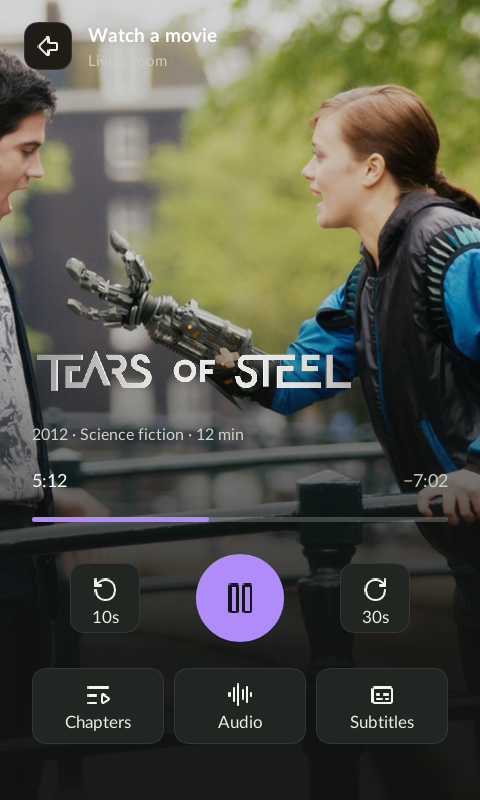
The screen shows playback. The buttons control Kodi.
Open a Kodi device from a room to take control immediately. The playback screen uses its artwork, title, timeline and available media options.
Physical buttons
Default behavior. An active activity can override individual mappings.
| Button | What it does |
|---|---|
| D-pad | Navigate Kodi on your TV as soon as its device view opens. |
| OK | Select the focused item in Kodi. During fullscreen video, open Kodi’s on-screen controls. |
| Back | Send Back to Kodi. Use a long press to leave the device screen instead. |
| Menu | Open Kodi’s context menu. |
| Home | Send Home to Kodi; it does not leave the remote’s device view. |
| Volume + / − and Mute | Adjust Kodi volume and mute with the default mappings. |
| Channel + / − | Move to the next or previous chapter when the current media provides chapters. |
| Hold Back | Return to Couch’s previous device list without reaching for the touchscreen. |
Use the screen for playback details
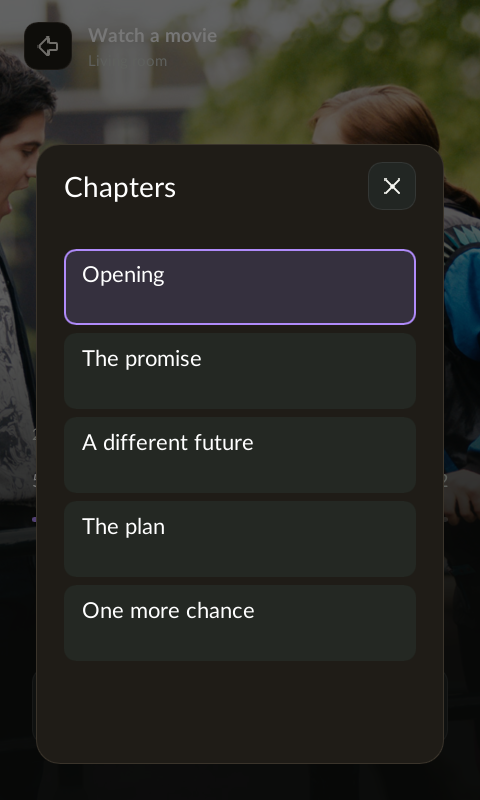
Touch the play/pause and skip icons or seek with the progress control. Selection trays slide in and out; use their close button or tap outside to dismiss them. Physical Back still goes to Kodi. Open Chapters, Audio or Subtitles to choose from the options the current media supplies. Artwork and available controls depend on the Kodi library and playback state.
Turn devices into an activity
In the web UI, create an activity, include its devices, choose a source screen, and configure its start and stop commands. Map physical buttons to the device that should receive them—for example, navigation to Kodi and volume to a Denon receiver.
Most buttons also support a separate long-press mapping. D-pad, volume and channel keys keep their repeat behavior; long Back remains the way out of device controls. An unmapped Power press ends a running activity and executes its stop sequence.
Try the live home-screen preview →