INFRARED
Control infrared devices
Attach infrared commands to a device in your room. A network TV can use IR for power while retaining its network controls.
Set up the device
- In the web UI, open Rooms & devices, choose your room, and select Add IR commands on an existing device.
- For equipment without a network connection, choose Manual / infrared under Add to this room, then enter its name and type. No separate IR connection is needed.
- Find the brand and model in the library. Assign individual commands or choose Assign matching functions, then review the assigned functions.
- Select Save IR commands or Add device to room. Point the remote at the appliance and select Test beside a saved command.
Unsupported commands include an explanation. Import a Flipper .ir file or Couch codeset if your model is missing. Browsing, assigning, importing and saving never transmit. Tests are disabled while edits are unsaved. Editing one device preserves other devices’ saved codesets.
Assigned functions use IR; unassigned functions keep using the device’s connection. Removing IR commands preserves that connection. An IR send failure does not trigger a second network command.
Physical buttons
These functions must be assigned for the selected device. Activity mappings can override the defaults.
| Button | What it does |
|---|---|
| D-pad and OK | Send the assigned navigation or selection command. |
| Back, Home and Menu | Send the corresponding command to the appliance. |
| Volume + / − | Send volume commands. Holding repeats the command. |
| Channel + / − | Send the assigned channel commands. |
| Mute and color buttons | Send their assigned functions. |
| Keypad Power | Send the assigned power toggle. Discrete power on/off are separate functions, never inferred substitutes. |
| Side Power | Sleep or wake the remote without sending an appliance command. |
| Hold Back | Hold for about 0.6 seconds to return to Couch’s previous device list. |
Use the Commands tray
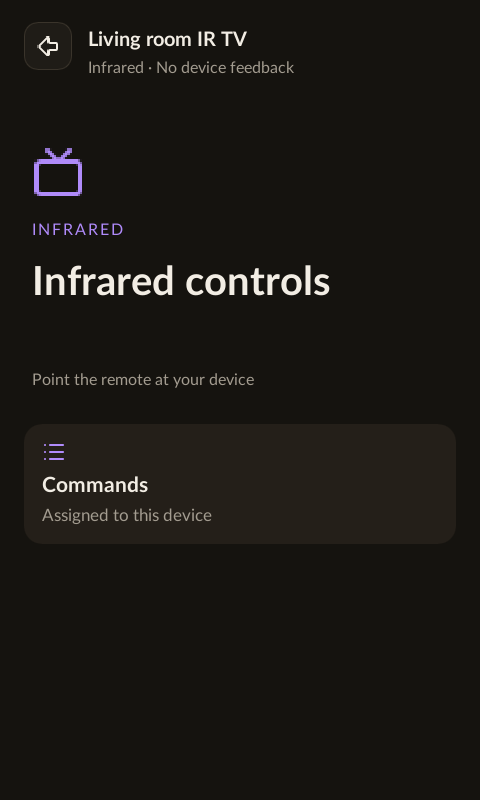
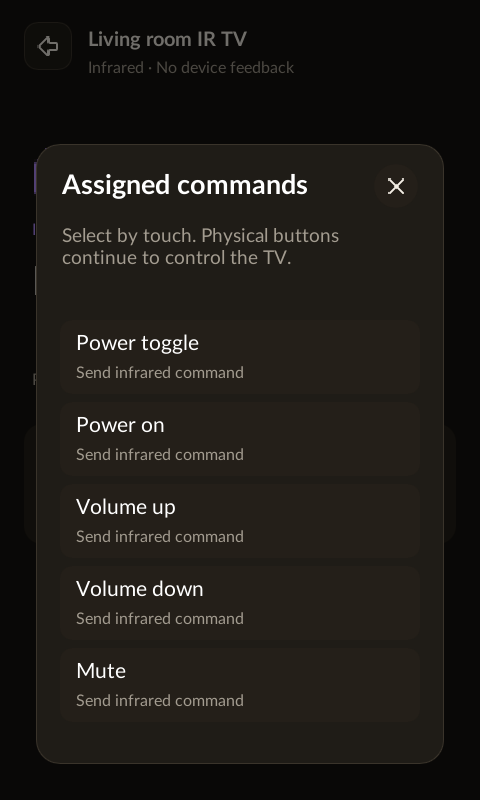
Select the IR device on the remote and press OK. Tap Commands to see its assigned supported functions, including discrete power commands if you added them. Missing assignments show an error; Couch does not choose a similar command automatically.
Point and check
Point the remote’s IR transmitter at the appliance with a clear line of sight, then try one assigned command and observe the appliance. A library model match is a candidate, not a compatibility guarantee. Controller timing and software checks do not prove that an appliance received a signal.
No inferred state
Infrared is one-way. Couch does not display an assumed power state, volume level or playback status. “IR command sent” means the transmitter completed its operation; it does not confirm the appliance acted on it. No polling or automatic retry runs in the background.
LG TV power
Add the TV to a room, then assign its power toggle under Manage IR commands. Discrete power on/off require their own verified codes; a toggle is never substituted. Existing connection-level power settings remain supported, with Network as an explicit alternative.